


7 Mistakes Beginners Make with ChatGPT—and How to Fix Them

Whether you're new to ChatGPT or starting to explore how to use AI in your creative or professional work, it's easy to feel like you're missing some kind of secret formula. The good news? There isn't one. But there are a few common habits that can quietly derail your results — and they're all totally fixable.
This guide breaks down seven of the most common mistakes beginners make with ChatGPT, why they matter and how to turn each one into a clearer, more collaborative exchange.
If you've ever wondered how to write better ChatGPT prompts, how to collaborate with ChatGPT more effectively or whether the free vs paid versions really make a difference — you're in the right place.
Let’s get into it.

1. Using Vague Prompts
“Tell me about SEO.”
It’s not uncommon to get lackluster results when you’re starting out with ChatGPT — especially if no one’s shown you how to write better ChatGPT prompts. If no one’s given you specific instructions on how to prompt, of course you’d just... try it and see what happens.
Wondering why ChatGPT output feels off or unhelpful?
Prompts that are too open-ended usually lead to generic or surface-level responses. But when you get specific? I've literally said "ooohh" out loud when ChatGPT produces something really great — and that usually only happens with detailed prompts and a bit of back-and-forth!
Try this instead:
“You are a seasoned content strategist, and write a 200-word overview of SEO basics for small business owners, in a friendly tone, like you're explaining it to a non-techie friend.”
The more context you give — audience, tone, format — the more on-point your results. And if the output still doesn’t land? Tell ChatGPT what you didn't like and why. That course-correction is part of the collaboration: "This feels too technical for my audience" or "Can you make this more actionable?
2. Treating the First Response as Final
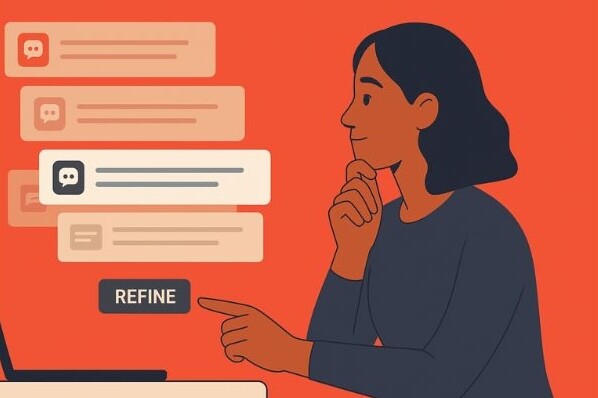
Here’s where you go from typical AI output to something that actually represents you, your thoughts, and your capabilities. The first response is just the starting point — iteration is where you put your own stamp on it.
Think of it like walking into a bakery and asking for a wedding cake. The baker doesn't know you love LEGOs, or that you want red velvet with white frosting and coconut flakes, or that it can't be made with milk because you're lactose intolerant. There's going to be a huge difference between just saying "I want a wedding cake" and working with the baker to make your vision of a 3-tiered LEGO cake come to life.
That's exactly what iteration with ChatGPT feels like — and honestly, it's the fun part. You can continue to build exponentially on each response.
Better approach: Keep building.
If you want better tone alignment, you can even give ChatGPT a sample of how you write — like a past email or blog post — and ask it to match your voice.
- "Can you make this sound more like how I actually talk?"
- "Add more specific examples for my industry"
- "This phrase might exclude people — can you make it more inclusive?"
- "Now adapt this for LinkedIn"
3. Not Defining the Role or Voice
ChatGPT can do a lot. But it still needs guidance — and one of the biggest upgrades you can make is telling it who it’s supposed to be.
I mean, you wouldn’t ask your plumber to rewire your house just because they’ve dabbled in electrical work. You’d call an electrician.
Same thing here. Choosing the right voice is like hiring the right person for the job — it makes a huge difference.
And the roles don’t have to be formal. You could ask for songwriting help from Taylor Swift, a follow-up email from Santa Claus, or a motivational boost from Arnold Schwarzenegger. The “who” you choose sets the tone — and makes the output feel way more human.
Fun prompt ideas to try:
- “Write this like Taylor Swift helping me turn my feelings into lyrics”
- “Send this as Santa Claus — warm, jolly, and to the point”
- “Make it sound like Arnold Schwarzenegger cheering me on at the gym”
If you don’t know who the right role or voice belongs to, I’ve got you covered! When I don’t know the exact role I need, I'll tell ChatGPT what I’m trying to do and then ask, “What kind of expert would do this best?” Then I use that suggestion to build the prompt. It’s like choosing the right partner for the task — and the results are always more specific and on point.
I’ve also found that when I set that intention early — when I name the kind of expert I need — the results get closer, faster. Not perfect, but way more aligned.
Instead of:
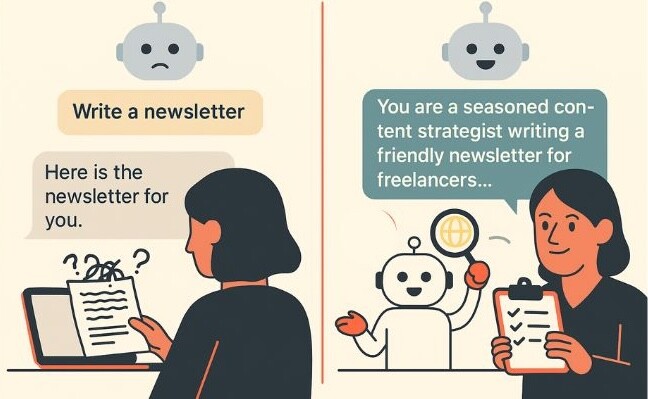
“Write a newsletter.”
Try:
“You’re an inclusive content strategist writing a friendly, accessible newsletter for freelancers who get overwhelmed by jargon”
Voice isn’t just flair—it’s a way to guide the tone, the purpose and the experience your reader will have.
Struggling to Nail Your Prompts?
If you’ve ever wished ChatGPT just “got it” on the first try, try PromptGPT.
This free tool from Eternity generates fully-formed RISE-style prompts for
you — just tell it what you’re trying to do, and it handles the rest. No guesswork,
no formatting stress — just better prompts, faster.
4. Using Jargon Without Context
Sometimes we forget that just because we know what we mean, ChatGPT doesn’t. It’s not reading your mind — it’s recognizing patterns based on what people typically ask. And those patterns? They don’t always match your exact intent.
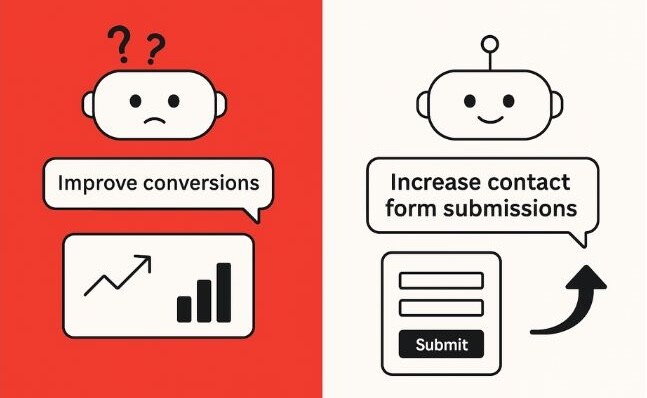
Take the word "conversions." That could mean sales, email signups, contact form submissions… even just someone clicking a link. If you don’t say what you mean, the output might sound right — but miss the mark.
It might feel overly specific or even a little silly to spell it out, but trust me: it helps.
“Help me improve conversions on our website’s ‘contact us‘ page. Right now, about 2% of visitors fill out the form—I’d like to get that closer to 5%”
I prompt the way I speak. I don’t try to make it short and slick — I explain what I’m doing, what I’m trying to write, and what kind of help I want. The clearer I am upfront, the more helpful (and on-point) the output tends to be.
Clear in = clear out. Even if that means being a little nitpicky.
5. Misunderstanding Free vs. Paid
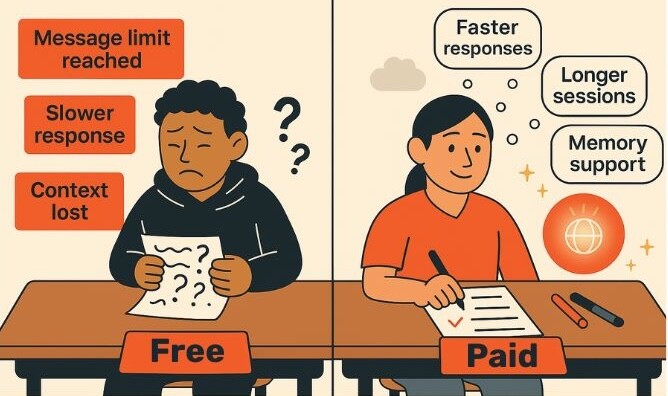
If you've ever been deep into a chat — uploading images, outlining ideas, refining a message — and then boom: “You’ve hit your message limit,” you’re not alone. That cutoff often sneaks up on free users, and it can feel frustratingly abrupt.
Most people assume the free version limits your number of messages. But what’s really happening behind the scenes is something called a token limit.
Tokens are chunks of text (roughly 1–2 tokens per word), and ChatGPT uses them to track everything — the prompt, ChatGPT’s replies, uploaded files, even internal memory. Free accounts get around 16,000 tokens (think 40–50 pages of text). Once you hit that ceiling, ChatGPT might:
- Forget earlier parts of the thread
- Start to drift in tone and references
- Respond in ways that feel repetitive, confused, or just… off
- Stop allowing image uploads and downloads
- Require a new chat just to reset the flow
Essentially, the more creative, complex or layered your conversation, the quicker you’ll run into these boundaries on a free plan.
Here’s what the paid plan unlocks:
- Longer memory and more complex conversations (up to 128,000 tokens)
- File uploads and data analysis
- Image input and understanding
- Custom GPTs
- Advanced voice mode
If you’re getting cut off mid-flow or constantly restarting chats, that’s aggravation you don’t need. And if ChatGPT is becoming part of your work, content creation or client strategy, that $20/month investment starts to pay off fast — in speed, consistency, and momentum.
Want to compare options? Here’s OpenAI’s model capabilities guide.
6. Skipping the Format
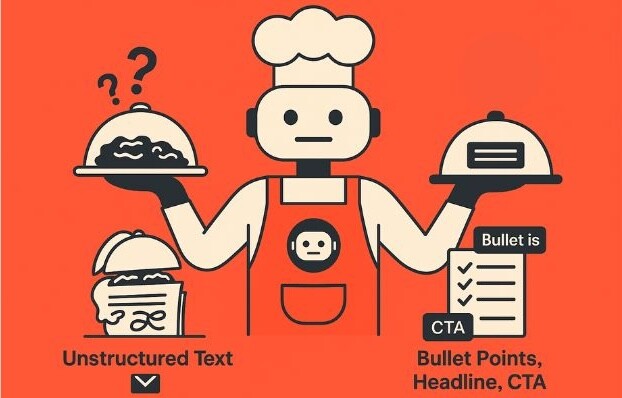
Sometimes, the hardest part is knowing how you want the info to show up.
You might not know if you need a list, a table, or a short paragraph — you just know you want it to be easier to read and understand. That’s enough.
You can ask ChatGPT things like:
What’s a clear, skimmable way to present this?”
Or
Give me a few format options for this content.”
I’m always thinking about accessibility — whether it’s bolding key ideas, keeping paragraphs short or adding strong headlines for skimmers. These aren’t just design choices. They’re ways to help more people connect with and understand the content.
It’s not just about how it looks—it’s about how people absorb and use the information.
Instead of:
“Tell me about our new service.”
Try:
“What’s a simple way to present this for a LinkedIn post? Can you try a few formats — a bulleted list, a short paragraph, and a bold intro with a CTA?”
You don’t need to start with the “perfect” structure. Just start with what you want it to feel like — clearer, easier, more readable — and let ChatGPT help from there.
7. Not Using It Collaboratively
If you’re wondering how to collaborate with ChatGPT, it starts with treating it like a creative partner.
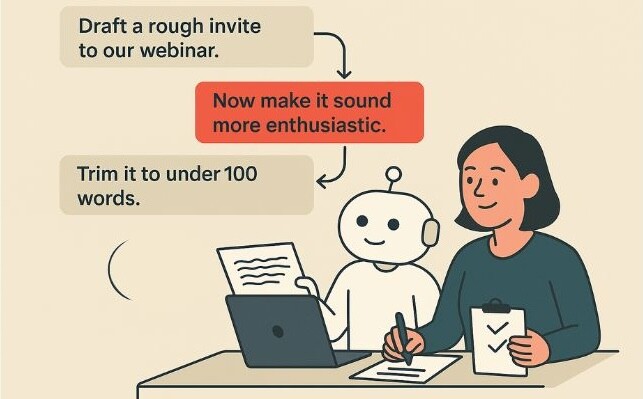
The back-and-forth is where the good stuff happens. I’ll often highlight a sentence that doesn’t quite land, or do my best to describe a half-formed idea I can’t fully articulate yet. And more often than not, the response nails what I meant — or offers phrasing I’m not sure I would’ve found on my own.
It becomes a kind of creative flow. Every thought can be explored with someone who’s always ready to keep going. Honestly? It’s a little addictive in the best way!
I’ve also customized my ChatGPT setup to reflect a few non-negotiables in every conversation:
- Accessibility, so no one feels lost or left behind
- Inclusivity, so the language welcomes more people in
- Iterative learning, so even the prompts get smarter as I go
And when that intention is set early — when I define who I need help from and how I want to show up — I get responses that feel more thoughtful and on track. They’re not perfect, but they’re almost always more aligned.
If you’ve ever thought that needing more than one round means you’re doing it wrong? Oof. That’s a lot of pressure. I honestly can’t think of a time I’ve said “Nailed it!” after the first response.
Instead of:
“Write a persuasive email.”
Try:
“Draft a rough invite to our webinar.”
“Now make it sound more enthusiastic.”
“Trim it to under 100 words.”
“Suggest a subject line.”
You’re the creative lead. ChatGPT is your assistant.
Final Thoughts: Better Prompts = Better Results
Getting better results from ChatGPT isn’t about having all the right words from the start. It’s about being clear, curious and willing to keep shaping things as you go.
The more you treat it like a creative partner, the more helpful (and honestly, fun) it becomes.
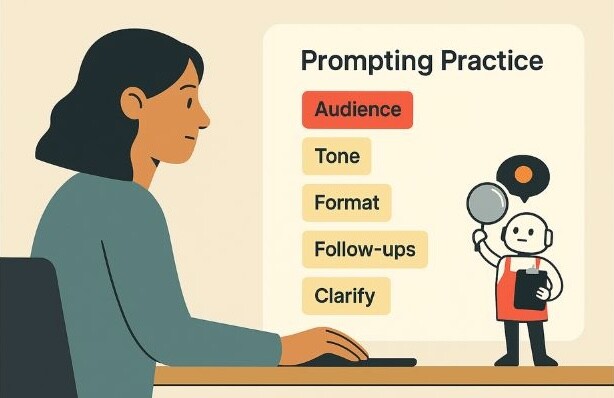
Here are a few things that make a big difference:
- Be specific about your audience, tone, and goals
- Ask for help with structure if you’re not sure what format you need
- Use follow-ups to refine, reshape or get closer to what you meant
- Break big asks into steps.
- Clarify anything that could be unclear — even if it feels obvious to you
If you’re not sure where to start, just pick one recurring task — like a blog intro, social caption, or client email — and use ChatGPT to explore a few ways in. Prompting is a skill. And like any skill, it gets easier (and more powerful) with practice.
Want Better Results from ChatGPT (or Your Website)?
If you’re exploring how AI can support your content, or want help turning vague prompts into clear, effective messaging — we’d love to collaborate.
Whether it’s refining your strategy, improving accessibility, or making your site easier to navigate, we can help you go from meh to meaningful.
Reach out to the Eternity team and let’s build something remarkable together.
